
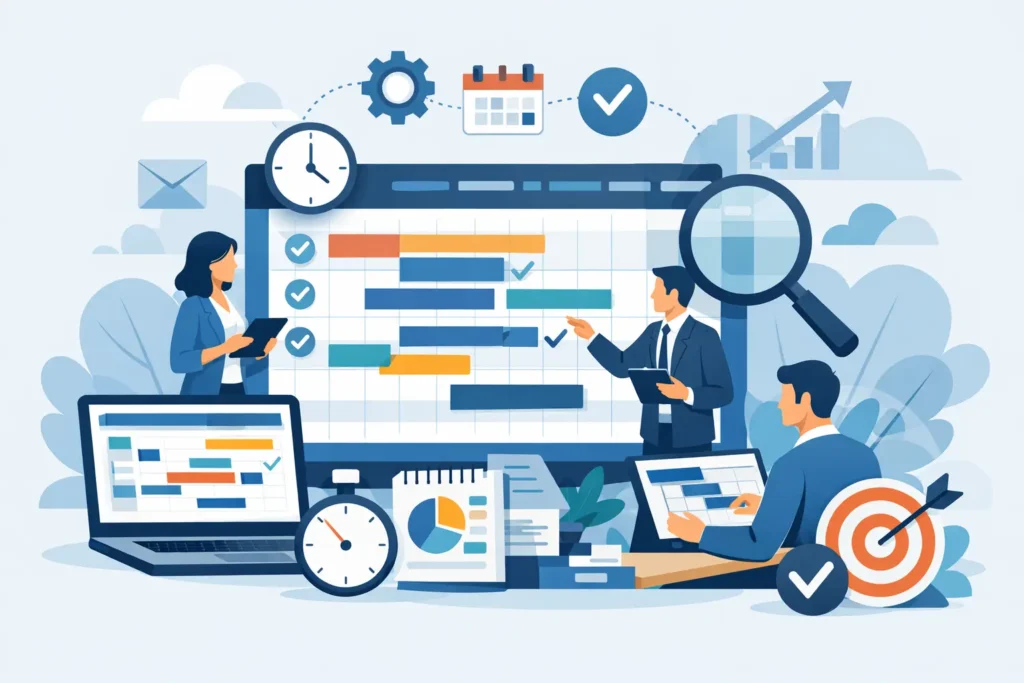
A schedule is more than a list of dates. For a project manager, engineer, or construction professional, it is the control system that connects scope, resources, dependencies, risks, and delivery commitments. The top project scheduling tools help teams build that control system, but the right choice depends on project complexity, reporting requirements, contract environment, and the level of scheduling discipline within the organization.
A small marketing team may need fast task coordination. A capital project team may need a resource-loaded critical path schedule that can withstand contractual scrutiny. Treating these needs as identical is one of the most common causes of poor software selection.
What Makes a Scheduling Tool Fit for Professional Use?
Professional scheduling software should allow users to define activities, link logic, assign calendars, identify the critical path, and monitor variance against an approved baseline. For larger projects, resource loading, cost integration, earned value reporting, multi-project visibility, and controlled updates become equally relevant.
Ease of use still matters. A tool that provides sophisticated analysis but is not updated accurately will not provide credible information. The strongest choice is usually the platform that matches the team’s planning maturity and the project’s governance needs, while giving stakeholders reports they can understand and act on.
7 Top Project Scheduling Tools to Consider
1. Oracle Primavera P6
Primavera P6 is a leading choice for large, complex, and schedule-driven projects. It is widely used in construction, engineering, oil and gas, infrastructure, and major capital programs because it handles extensive activity networks, multiple calendars, resource assignments, baselines, and multi-project portfolios.
Its major advantage is control. A planner can model thousands of activities, analyze critical and near-critical paths, apply resource and cost data, and produce detailed reports for owners, consultants, and contractors. P6 is particularly valuable where schedule updates are contractual deliverables or delay analysis may be required.
The trade-off is a steeper learning curve. Primavera P6 is not designed for casual task tracking. Teams need trained schedulers, defined update procedures, and sound planning logic to get reliable results. For professionals pursuing planning and project controls roles, Primavera P6 capability is a recognized career advantage.
2. Microsoft Project
Microsoft Project remains one of the most established tools for project managers who need structured schedules without the scale of Primavera P6. It supports Gantt charts, task dependencies, milestones, critical path analysis, baselines, resource assignments, and reporting. Its familiar Microsoft-style interface can make adoption easier for teams already working with Excel, Teams, or other Microsoft applications.
MS Project works well for individual projects and departmental portfolios, including IT delivery, operations initiatives, engineering packages, and internal transformation programs. It offers more scheduling depth than lightweight collaboration platforms while remaining accessible to project managers who need to create and maintain their own plans.
Its limitations become clearer on very large programs with highly detailed integrated schedules. It can manage complexity, but governance, file control, and multi-user planning practices must be carefully managed. Organizations should also distinguish between desktop scheduling needs and cloud-based collaboration requirements before choosing a version.
3. Smartsheet
Smartsheet combines spreadsheet familiarity with project tracking, automation, dashboards, and collaborative work management. It is useful for teams that need more structure than a shared spreadsheet but do not require a full project controls platform. Users can build Gantt-style schedules, define dependencies, create alerts, and provide management visibility through dashboards.
This tool is a practical fit for PMOs, operations teams, and cross-functional initiatives where frequent updates and stakeholder visibility are priorities. Its flexible layout also makes it useful for action registers, procurement trackers, risk logs, and reporting packs alongside the project schedule.
However, Smartsheet is not a substitute for Primavera P6 when detailed critical path management, resource-loaded scheduling, or forensic schedule analysis is required. It is best viewed as a collaborative planning and reporting platform rather than a specialist construction scheduling system.
4. Monday.com
Monday.com is designed for visual work management. Teams can configure boards for tasks, owners, due dates, status updates, workload views, and simple timeline planning. It is especially effective when the main challenge is accountability across a fast-moving team rather than the technical development of a detailed network schedule.
For project managers, Monday.com can improve visibility on deliverables and prevent routine follow-ups from being lost in email. It is often a good option for internal projects, product launches, business operations, and smaller client engagements where team adoption is more important than advanced scheduling analysis.
The limitation is that visual simplicity does not equal schedule rigor. If a project depends on complex logic, multiple calendars, resource constraints, and contractual milestones, a dedicated scheduling application will be more appropriate.
5. Asana
Asana is a task and workflow management platform that supports project lists, boards, timelines, responsibilities, and team communication. It is particularly useful for knowledge-work teams that need to clarify ownership and coordinate recurring work. Its timelines provide a practical high-level view of sequencing and deadlines.
Asana suits marketing, HR, software, administrative, and business improvement projects where work is delivered through short, visible tasks. It can reduce confusion around who is doing what and when, which is often the immediate scheduling problem for smaller teams.
It has less depth for formal project planning. Project professionals should not expect the same level of baseline control, critical path analysis, or resource modeling available in MS Project or Primavera P6. It is a coordination tool first and a technical scheduling tool second.
6. Asta Powerproject
Asta Powerproject is strongly associated with construction planning and is valued by many contractors for its practical, visual approach to building and updating construction schedules. It supports linked activities, resources, progress updates, and reporting, while allowing planners to work in a way that aligns closely with site operations.
It can be a strong choice for building projects, fit-outs, civil works, and contractor-led schedules where planners need to communicate sequences clearly to project teams. Its construction focus is a meaningful differentiator for organizations that find generic task platforms too limited.
As with any specialist tool, availability of skilled users matters. Before standardizing on Asta, organizations should confirm client requirements, internal expertise, and compatibility with the reporting practices used across their project portfolio.
7. Project for the Web and Planner
Microsoft Planner and Project for the Web support teams that want cloud-based work management within the Microsoft ecosystem. They are useful for simpler plans, task assignment, shared visibility, and integration with everyday collaboration practices. For organizations already operating heavily in Microsoft 365, this can reduce friction for end users.
These tools are appropriate for teams moving beyond informal task lists or email-based coordination. They can support an early stage of scheduling maturity, especially when a department needs consistent ownership and deadline tracking.
They are not a direct replacement for desktop MS Project or Primavera P6 on complex projects. The choice should be based on the required level of schedule detail, analysis, and reporting rather than the convenience of a familiar interface alone.
How to Choose Between Project Scheduling Tools
Start with the project environment. If you manage construction, engineering, infrastructure, shutdowns, or contract-driven delivery, prioritize logic-based scheduling, baselines, progress measurement, and reporting capabilities. Primavera P6 or Asta Powerproject may be appropriate, while MS Project can be a strong fit for moderately complex projects with a dedicated project manager.
If your work centers on cross-functional business delivery, consider whether the immediate need is formal schedule analysis or better coordination. Smartsheet, Monday.com, Asana, and Planner can improve visibility quickly, but they need clear standards for task ownership, dates, and status updates.
Then assess the questions your schedule must answer. Can the team identify the critical path? Can it explain forecast completion dates? Can it demonstrate the impact of a delayed activity? Can management see the difference between baseline, actual progress, and forecast? The more often these questions arise, the more important professional scheduling capability becomes.
Training should be part of the decision. Software does not correct weak logic, unrealistic durations, or inconsistent updates. A project manager or scheduler needs the technical knowledge to build a workable network, establish a credible baseline, update progress objectively, and communicate schedule risks before they become delivery failures.
Build Capability Alongside the Software
The best tool will not produce a credible schedule without disciplined use. Establish a schedule calendar, coding structure, update cycle, progress rules, and reporting format before rolling out a platform. Keep milestone definitions consistent and ensure activity owners understand what constitutes actual progress.
For professionals seeking stronger project controls capability, formal Primavera P6 or MS Project training can turn software familiarity into practical scheduling competence. MMTI’s instructor-led training approach is designed for working professionals who need structured learning that supports both certification goals and immediate workplace application.
Choose a tool that meets the demands of your next project, not just the convenience of this week’s task list. When planning standards, software capability, and trained project professionals work together, the schedule becomes a reliable basis for decisions rather than a document updated after problems have already occurred.